
While the Cross Table Tool Questions are thoughtfully organized, it may not be intuitive to all users. Rather than trying to find where a specific variable is located, the search functionality at the top of the Rows, Columns and Filters page allows users to search for a specific variable by name.
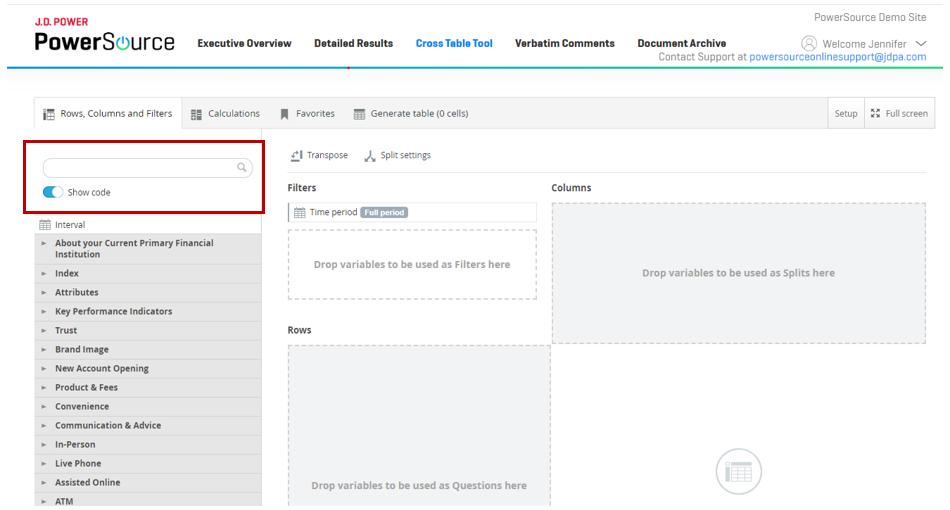
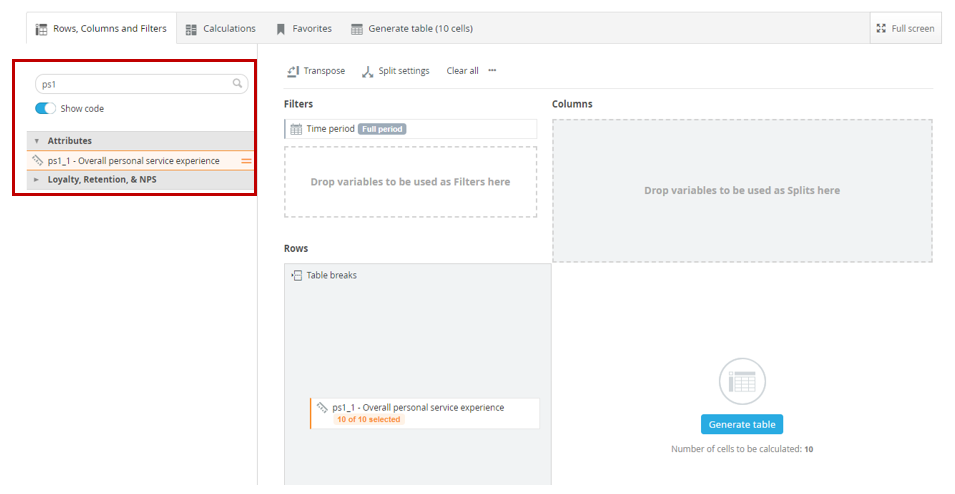
This functionality can be further enhanced by turning on the ‘show code’ toggle button which will allow the user to search for a variable by question number (found in the questionnaire).
We’ll be rolling out more tips and tricks for PowerSource users to get the most out of a J.D. Power study subscription. Bookmark this tag, and check back for the latest.